

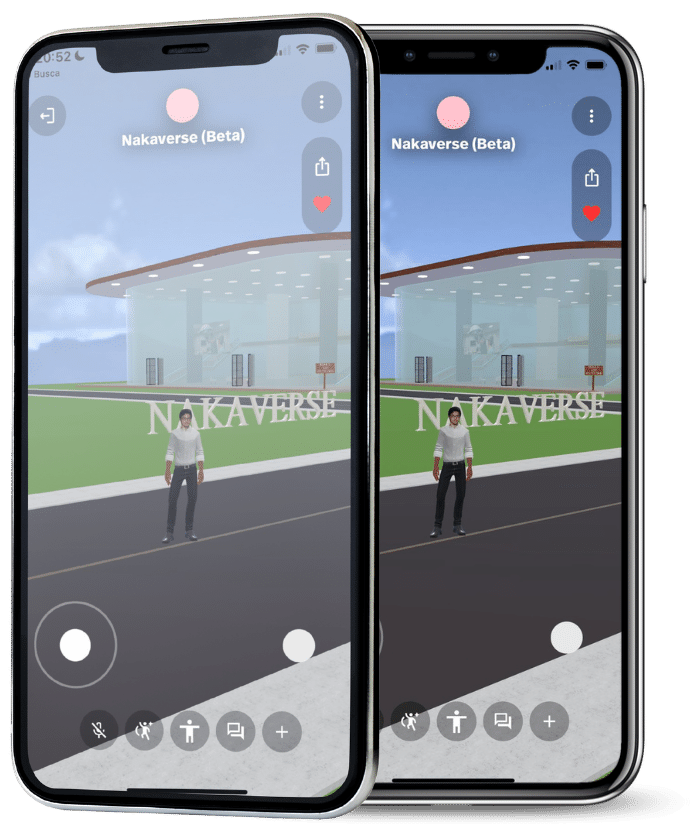


Sign in to Spatial
Open the Spatial app and create a free account on the platform. Follow the instructions provided in the app to create your account.

After registering click on this link
After creating your account, click on the metaverse link

Join in Spatial
On the metaverse link page, click the "Join in Spatial" button. This will automatically open the Spatial app.

After opening
When the Spatial app opens, you'll see a screen asking if you want to join the metaverse. Click "Join".

Functions
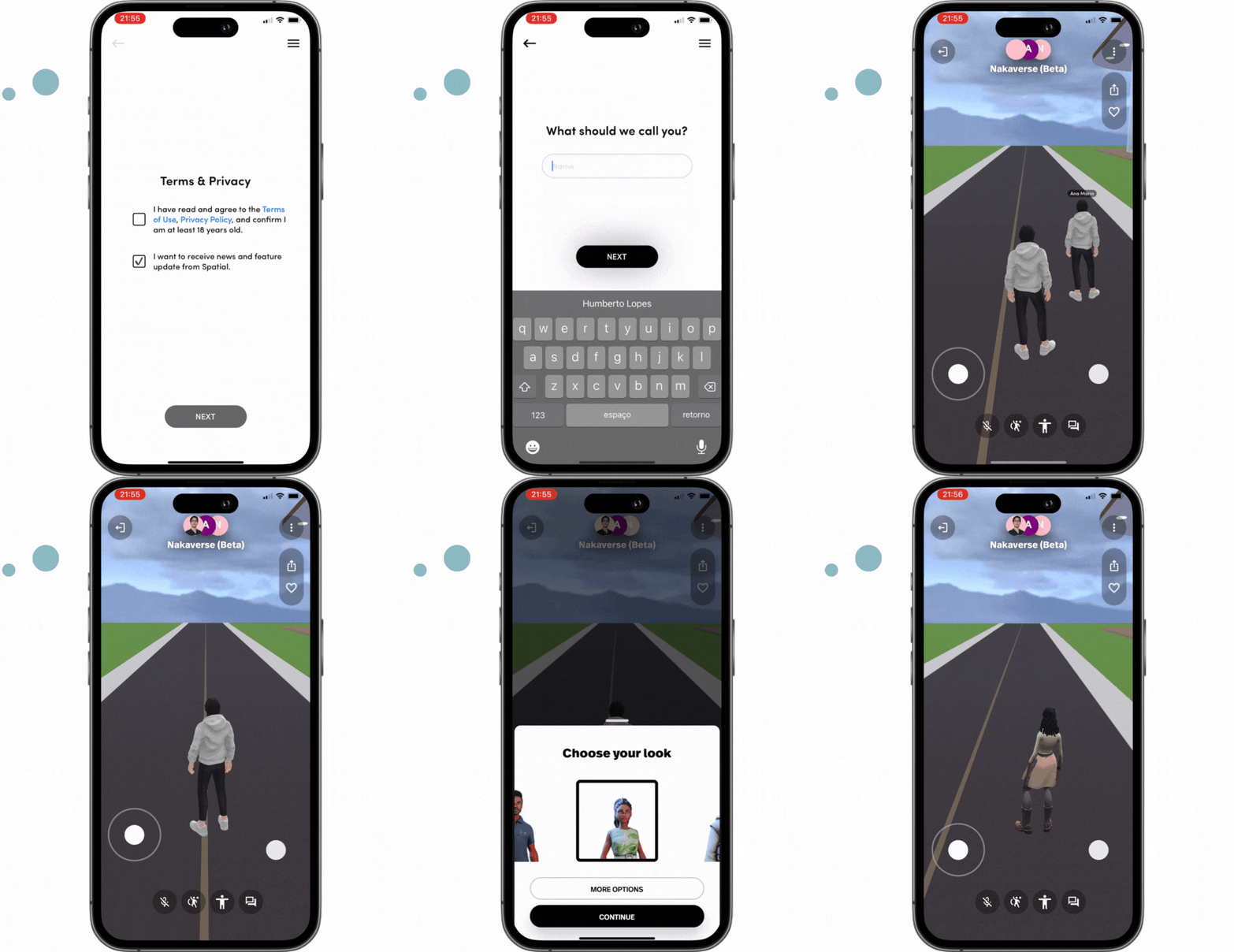
If you want to interact with other participants in the metaverse, use Spatial's integrated voice or text chat.

Avatar
When Nakaverse metaverse environment is loaded, you can start exploring. Use the controls on your mobile device screen to move your avatar around the 3D virtual environment

Wait to load.
Please wait until Nakaverse metaverse environment is fully loaded. This may take a few minutes depending on your internet speed and device performance.

Interact
Para iniciar uma conversa de voz, clique no botão do microfone na parte inferior da tela.